Buying the same game on Steam, Epic Games Store, PlayStation, Xbox, or a publisher’s launcher does not necessarily provide the same rights. The title may be identical, but the base-game licence, online access, expansion ownership, in-game currency, and saved progress can follow different rules.
The most common mistake is assuming that account linking makes every purchase portable. In many games, linking carries characters or progress between platforms, while the game licence and DLC remain attached to the store where they were purchased.
Before paying, separate the purchase into four questions: What game content do I own? Where can I play online? Which DLC is included? Which account controls my progress?
One Purchase Creates Four Separate Rights
The store listing often combines several rights on one page, but they should be evaluated separately.
| Part of the purchase | Usually controlled by | Main question |
|---|---|---|
| Base-game licence | Steam, Epic, PlayStation, Xbox, or another store | Does this purchase let me launch the game on another store or device? |
| Online multiplayer | The game’s server rules and, on some consoles, a separate platform membership | Is another subscription required to play online? |
| DLC and expansion access | The exact store account and platform licence | Does the edition include this expansion on the platform I will use? |
| Characters and progress | A publisher account or cross-save system | Can the same save be used elsewhere, and what does not transfer with it? |
A purchase on one store should not be treated as a general licence for every platform. Epic Games Store explicitly states that games and DLC purchased there cannot be transferred to another platform because the storefronts operate separately.
Account linking solves a different problem. It may allow a publisher to recognize the same player and load the same progress, but it does not automatically move store licences, expansions, subscriptions, or virtual currency.
Destiny 2 Shows Why Cross-Save Is Not Cross-Buy
Destiny 2 provides a clear example because the base game is available on several stores, while paid expansions are sold separately.
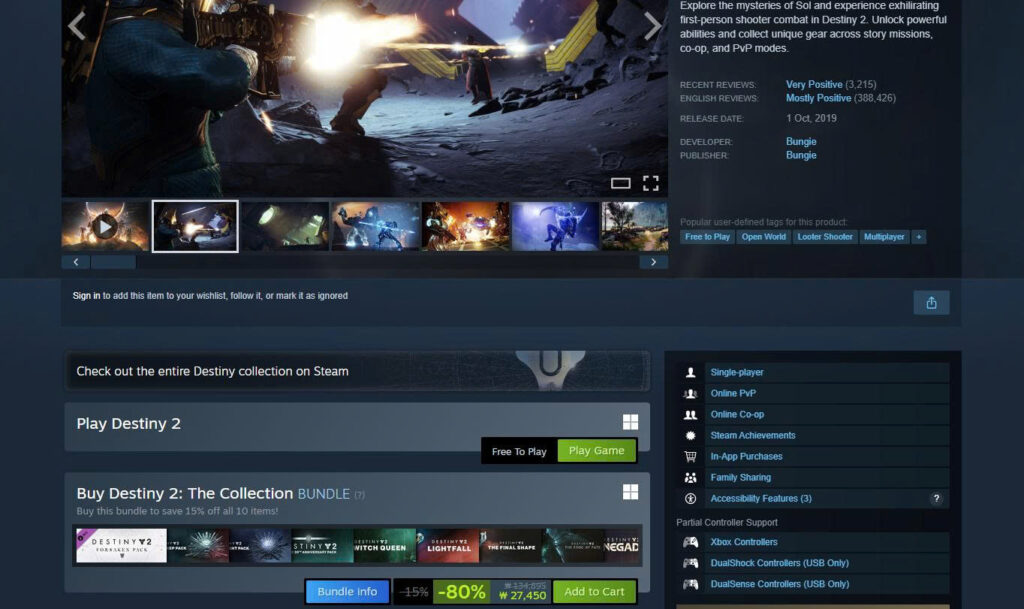
Steam currently lists the base game as free-to-play and presents paid expansions and a multi-item Collection bundle beneath it. Epic Games Store also offers the free base game but sells its own current expansion editions through the Epic account. The storefronts provide access to the same game world, but each store records its own purchases.
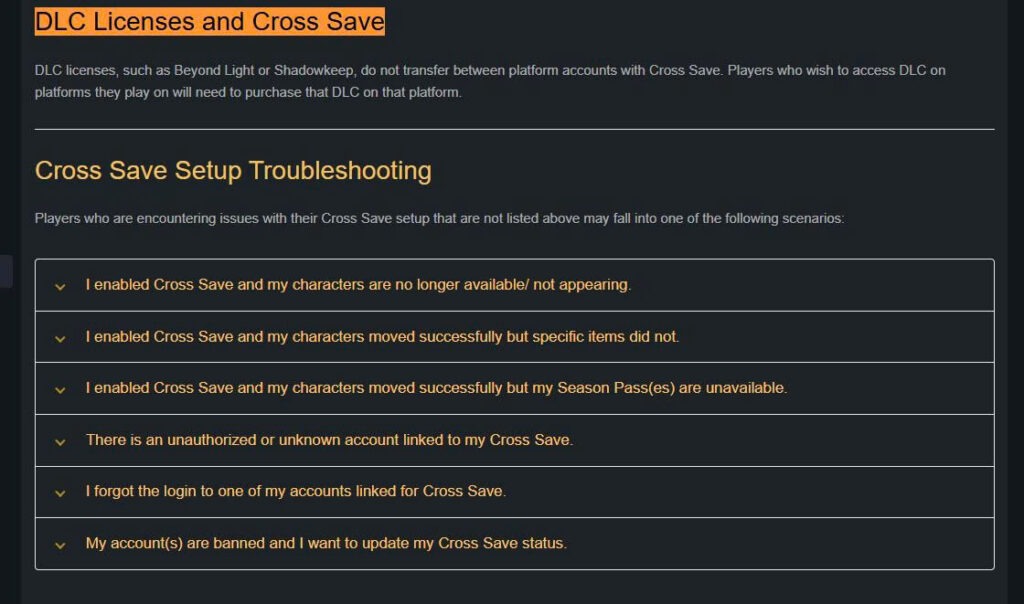
Bungie’s Cross Save system allows a player to use one active set of characters across linked platform accounts. However, Bungie states that DLC licences do not transfer. An expansion purchased on Steam must be purchased again on Epic, PlayStation, or another platform when the player wants to access that expansion there. Bungie applies this rule even between Steam, Microsoft’s PC store, and Epic Games Store on the same computer.
This creates situations that can initially look like an account error. Your characters and equipment may appear after linking, but an activity, subclass, mission, or item tied to an expansion can remain unavailable on a platform where the corresponding DLC is not owned.
Virtual currency can follow yet another rule. Bungie says Destiny Silver is tied to the account and release for which it was purchased. With Cross Save enabled, Silver can only be spent on the platform where it was bought, although eligible items purchased with that Silver on the active account can be used across platforms.
The lesson is broader than one game:
Cross-play means players can play together.
Cross-save means progress may follow the linked account.
Cross-buy means one purchase works on multiple stores.
A game can support the first two without supporting the third.
Store, Console, and Publisher Pages Answer Different Questions
No single product page normally explains the entire arrangement. Three sources must be read together.
- The store listing defines what is being sold. It should identify the platform, edition, language support, included DLC, bonus items, account requirements, and refund route. The individual item list matters more than labels such as “Deluxe,” “Ultimate,” or “Complete,” because the contents attached to those names can change.
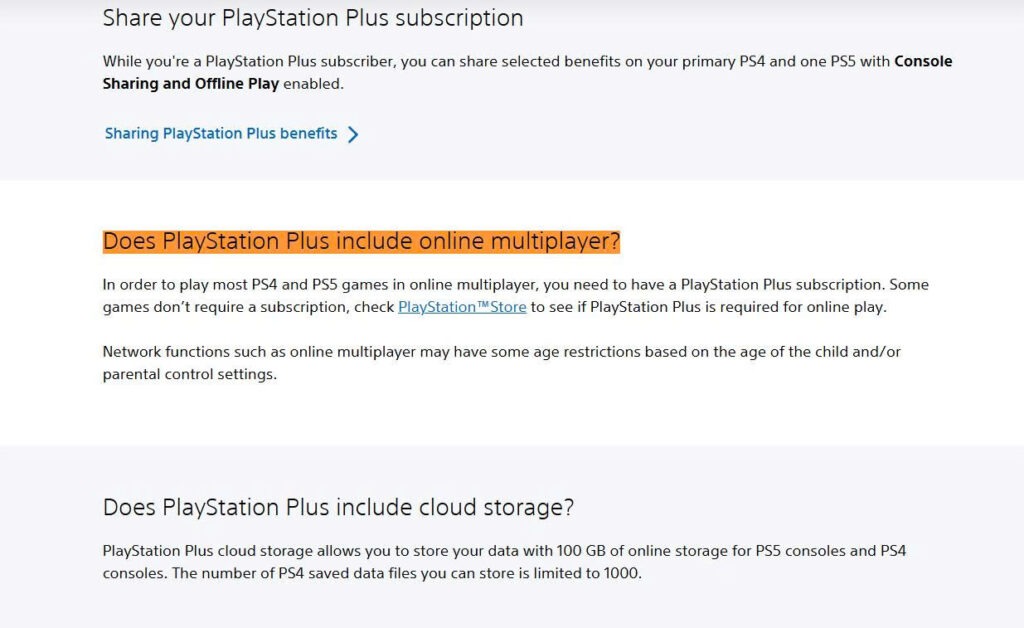
- The console page explains whether online multiplayer requires another subscription. PlayStation currently states that most PS4 and PS5 games require PlayStation Plus for online multiplayer, while some games are exempt. Sony tells users to inspect the exact PlayStation Store page to determine whether a membership is required for that title.
- The publisher’s support page explains cross-play, cross-save, server availability, account linking, and whether purchased content follows the publisher account or remains with the store.
A useful pre-purchase record should therefore include:
| Source | Information to record |
|---|---|
| Exact store page | Store, platform, edition name, included items, language, price, and refund route |
| Console or platform support | Online-membership requirement and supported devices |
| Publisher support | Cross-play, cross-save, DLC portability, account-linking restrictions, and server status |
| Checkout page | Selected edition, seller, region, final price, and billing account |
| Purchase confirmation | The final SKU and item list actually sold |
For Korean users, region and language should be confirmed on the Korean or Asia-region listing rather than inferred from a U.S. or European page. A Korean-language interface on one platform does not prove that every regional version includes the same audio, text, DLC, or account compatibility.
The First Account Link Can Decide Where Progress and Paid Benefits Go
The account-linking screen should not be treated as an ordinary login prompt. It may determine which characters, purchases, rewards, and progression become active.
Before launching the game for the first time, sign in to the publisher’s website and inspect the accounts already linked. Match the actual platform identifier, not only the display name. Bungie specifically advises Steam users to verify the unique Steam ID because different Steam profiles can use the same visible name.
The consequences of linking the wrong account may last longer than expected. Bungie requires authentication of every linked account before Cross Save can be disabled. Disabling it creates a mandatory 90-day waiting period before it can be activated again, and recent Silver purchases can impose an additional restriction on deactivation.
Seasonal benefits can also attach to the wrong character set. Bungie states that Destiny Season Passes are assigned to the first Destiny account used after purchase. They cannot later be transferred between different sets of characters.
For that reason, do not use unlinking and relinking as the first troubleshooting step. First take screenshots of the linked-account page, confirm which store account owns the licence, and read the publisher’s current unlinking restrictions. When an unfamiliar account is attached, recover access through the relevant store or platform support instead of creating another publisher account and experimenting with the links.
A Missing Expansion Is Often a Licence or Installation Problem
Missing DLC after purchase does not always mean the edition was misrepresented. The licence may exist but remain uninstalled, be attached to another store account, or require restoration by the platform.
Begin with the purchase confirmation. Confirm the exact edition and every included item. A marketing banner or search result is less useful than the final receipt because the receipt records what was actually purchased.
Next, open the store library using the account that completed the transaction. For Destiny 2, Bungie directs Steam users to inspect their Steam licence page. Epic users may need to manage and install the DLC through the launcher. PlayStation users can sign in with the purchasing account and use Restore Licenses, then confirm that the add-on is marked as purchased.
The support route should follow the missing component:
- A missing store licence or incorrect charge belongs with Steam, Epic, PlayStation, Xbox, or the store that processed the order.
- A valid licence that the game does not recognize may require the publisher’s support.
- A character or progression problem belongs with the publisher’s account system.
- A console multiplayer restriction may involve the console membership rather than the DLC.
Do not buy the same expansion again on another store until the original licence and account have been verified. A second purchase can create two valid licences while leaving the account-linking problem unresolved.
The safest buying sequence is:
Select the exact platform → read the full edition contents → confirm online requirements → verify the publisher account → determine what cross-save does not transfer → save the checkout page and receipt.