Collaborative livestreams frequently involve multiple content creators, complex software setups, and distinct broadcast permissions. When a viewer attempts to watch a past collaboration, they may discover that one participant’s video is missing, partially muted, or privatized.
Understanding why collaboration archives differ across channels requires examining how streaming platforms assign video ownership. Reconstructing a complete, missing collaboration timeline requires analyzing participant rosters, cross-referencing alternate camera angles, and accounting for post-stream privacy and copyright edits across official channel archives.
Technical Architecture Differences Between Host-Guest and Multi-Channel Broadcasts
A collaborative broadcast does not automatically generate a single, shared video asset. The final availability of an archive depends on the technical broadcast model chosen prior to going live.
| Broadcast Collaboration Model | Primary Replay Location | Controlling Entity for VOD and Analytics |
| Single Host with Invited Guests | Host Channel Archive Only | Host retains full VOD rights, ad revenue, and moderation control |
| Independent Multi-Channel Stream | Each Participant Channel | Every creator maintains an independent VOD, chat replay, and audio mix |
| Main Broadcast with Local Recording | Host VOD plus Local PC Files | Host controls platform VOD; creators manage unedited local video files |
Single Host Archive Ownership and Platform Analytics
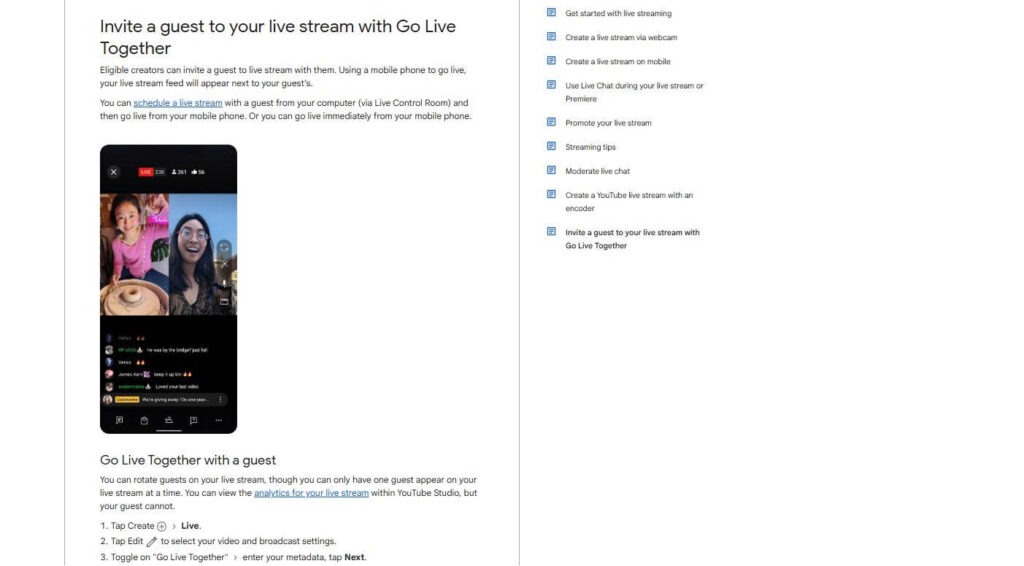
In a single-host setup (such as YouTube Go Live Together), only the primary channel initiates the livestream. Guests join the broadcast feed, but their individual channels do not generate separate video archives, view counts, or live chat logs. The hosting platform assigns full legal responsibility for guest conduct and copyright compliance to the host channel, meaning the resulting VOD remains exclusively on the host platform.
Independent Multi-Stream Feeds and Alternate Perspective Archives
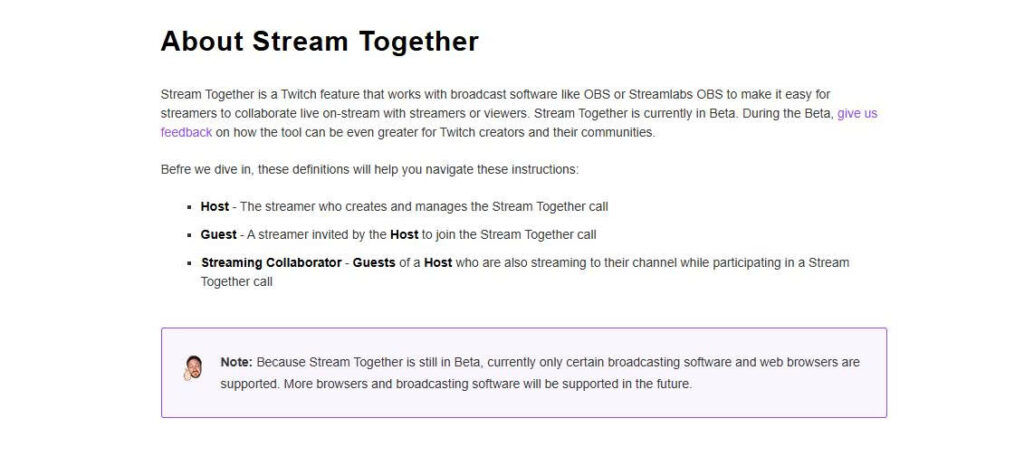
In multi-channel streaming setups (supported by platforms like Twitch Stream Together or CHZZK), every participant broadcasts an independent video stream to their respective channel. While software layouts may display shared voice chat and multi-camera split screens, each creator generates a unique VOD file. On CHZZK, saved VODs are managed through individual creator Studio dashboards, where privacy settings and public availability are adjusted independently.
Participant Roster Mapping and Timeline Coordination
Reconstructing a missing or deleted collaboration segment requires establishing an exact participant roster, event date, and broadcast timeline. Matching exact game titles or event names prevents confusing distinct stream sessions that share similar video titles.
| Participant Channel | Role in Collaboration | Exact Stream Start / End Time | Intermediate Join / Leave Markers |
| Channel A (Host) | Main POV and Event Host | 18:00 UTC to 22:00 UTC | Present for full broadcast duration |
| Channel B (Participant) | Secondary POV / Co-Op Player | 18:15 UTC to 21:30 UTC | Joined at 18:15 UTC; disconnected at 21:30 UTC |
| Channel C (Guest) | Guest Commentator | 19:00 UTC to 20:30 UTC | Joined for specific tournament segment |
Documenting intermediate joining times prevents misinterpreting a participant late arrival as a deleted VOD segment.
Timestamp Synchronization and Alternate Perspective Supplementary Coverage
When one creator privatizes or truncates their VOD, missing incidents can often be located within surviving archives published by other stream participants.
Reconstructing missing scenes requires accounting for broadcast latency and network buffering. Stream delays, frame drops, and localized connection breaks cause participant timestamps to drift out of alignment by several seconds or minutes. Researchers must synchronize timestamps using prominent shared audio cues, such as a match countdown or in-game event.
Furthermore, camera perspective changes provide critical narrative context. A game event or conversation omitted on the main host camera may be fully visible on a participant focus camera or recorded in an isolated audio feed. Viewers should avoid assuming an incident did not occur simply because it was not captured on one specific participant screen.
Copyright Truncations, Privacy Edits, and Official Archive Preservation
When portions of an official VOD are permanently removed following a broadcast, platform compliance rules and privacy edits are usually the primary cause.
Official post-stream VOD modifications stem from specific legal triggers:
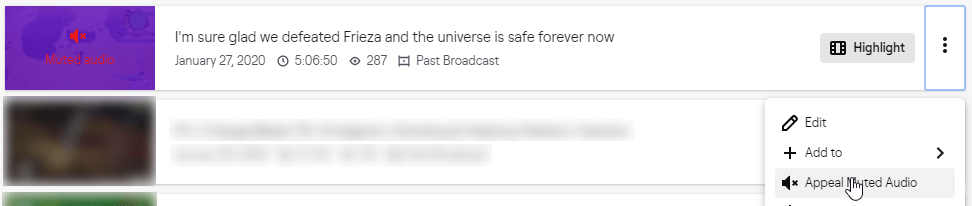
- Background Music Muting: Automated digital rights management (DRM) systems muting audio segments containing copyrighted background tracks.
- Privacy and PII Redactions: Creators editing out accidental disclosures of personal identifiable information, private chat overlays, or off-stream background conversations.
- Participant Removal Requests: Post-stream agreements where a participant requests the removal of specific discussion segments prior to public archiving.
When official VOD sections are truncated for privacy or copyright compliance, researchers should avoid attempting to restore redacted scenes using unofficial, unauthorized fan re-uploads. Official explanations for VOD edits should be respected, and timeline reconstructions should cite verified publisher archives rather than third-party re-streams.